
Switching from another system, without the bad week.
Export, import, run both for a week, go live. Your roster, rates, schedules and history come with you.
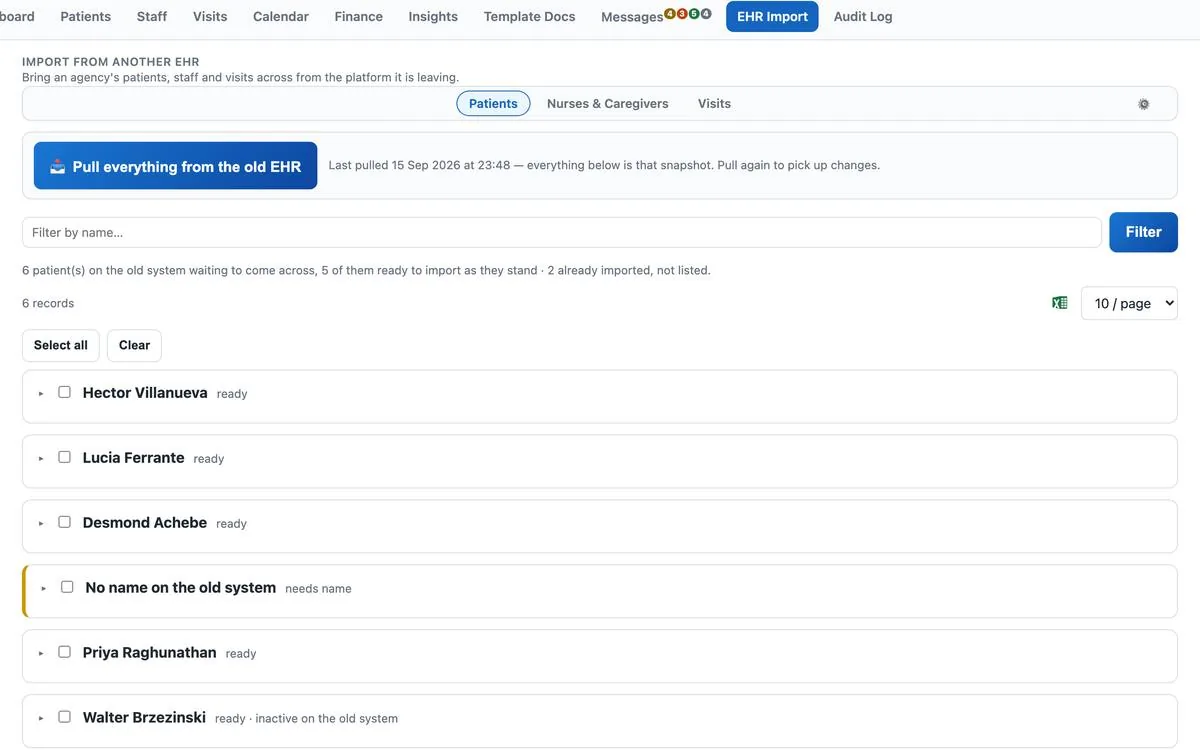
Most agencies that change systems fear the week between the old one and the new one: caregivers unsure where to clock in, a billing run that slips, a roster that came across with half the phone numbers. The switch to First Support Homecare is designed around that week.
The switch, week by week
Everything you need on day one
| Record | What comes across |
|---|---|
| Clients | Demographics, address (geocoded for EVV), payer coverage, Medicaid ID, emergency contacts, care plan text |
| Caregivers | Names, contact details, hire date, credentials with expiry dates, state worker or NPI numbers |
| Payers and rates | Medicaid programs and MCOs, private-pay rates, service codes and modifiers |
| Schedules | Recurring visit patterns and the next 90 days of scheduled visits |
| Visit history | Past visits with times, caregiver and service, kept read-only for audits and re-billing |
| Documents | Signed PDFs attach to the client or caregiver record; your blank forms become fillable templates |
| Open balances | Outstanding private-pay invoices so statements continue without a gap |
Questions about switching
Which systems can you import from?
Any that exports CSV or Excel, which is all of them. We have mapped exports from the common agency systems and will map yours from a sample file before you commit.
Will my EVV history move?
Visit history moves as records. What has already been submitted to your state or aggregator stays where it is; new visits go from First Support EVV after the account is set up, with no gap in submissions.
What happens to my caregivers mid-switch?
During the parallel week they clock in on the new app only. It runs in the phone's browser, so there is nothing to install or approve; most caregivers are clocking in within a day.
Can we switch mid-month?
Yes. Billing periods are set per payer, so a mid-month cut-over just means the first billing run covers the days since go-live.
What if we go back?
Your data is exportable at any time in CSV and PDF, and the contract is month to month after the first three months. Nothing is held.
Send us a sample export. We map it, load it into a demo instance and show you your own roster in the software before you decide anything.
Book a demoSee it in twenty minutes.
A screen-share of the working software, in your state's EVV format. No obligation.